Link to the “What is XAgo?” sectionWhat is XAgo?
XAgo tracks how long ago you did something.
Link to the “The Coding Challenge” sectionThe Coding Challenge
I gave myself one week to build the app from scratch and ship it on the App Store and Google Play.
I had a time limit, but I did not want to cut corners. Below is the full checklist.
Link to the “Checklist” sectionChecklist
The app has to:
- allow users to create event trackers (later widgets)
- allow users to edit widgets after they're created
- allow users to customize widgets (change color/icon)
- work well on phone screens
- work well on tablet screens
- show every time an event was repeated
- support dark mode
- support internationalization (later i18n)
Link to the “Technology” sectionTechnology
Native iOS and Android are not my home turf. I built a small Android app in my first year of college, then mostly stopped. I have poked at Swift, but not enough to ship something this tight on native stacks in seven days.
React and React Native are where I spend my time. I wanted this project to level up theme support (light, dark, and in between) and to ship a full TypeScript codebase.
Link to the “Sketches” sectionSketches
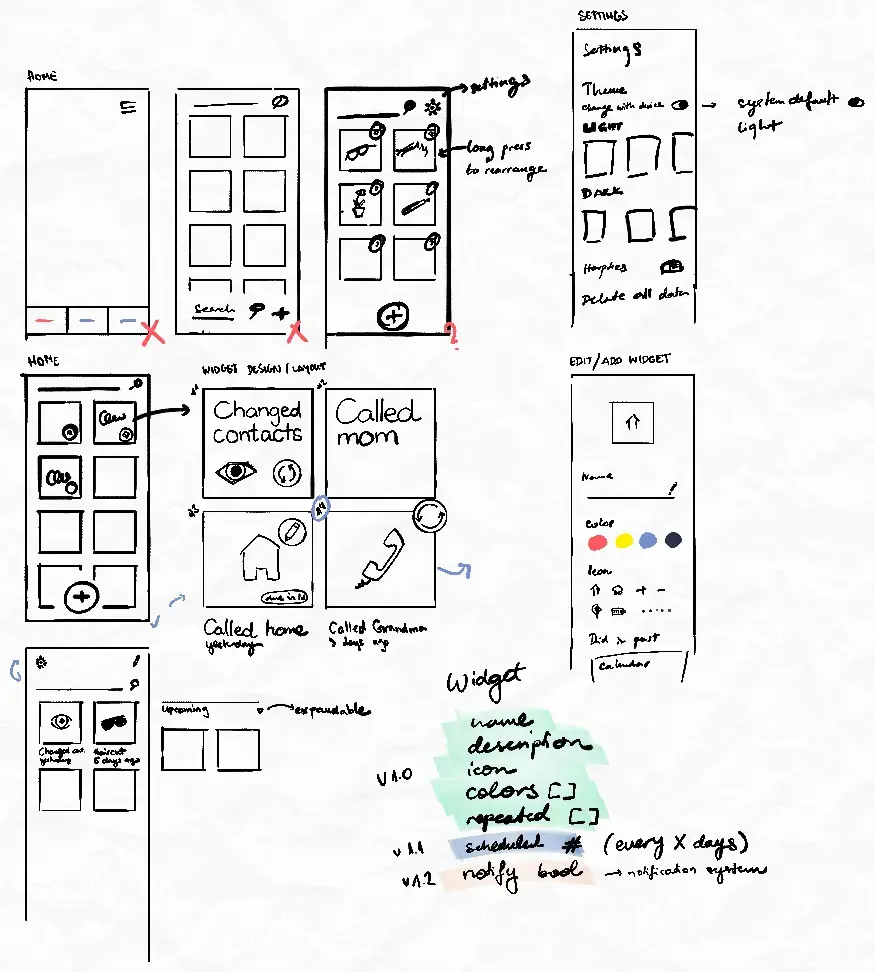
I could have spent weeks on visual design, but this was a developer challenge, not a design sprint. The idea had sat in my head for years, so the flow was already clear. I sketched enough to lock layout and primary interactions, then opened the repo. Setup had to happen early if the week was going to work.
Link to the “The week of development” sectionThe week of development
Link to the “Monday” sectionMonday
Mostly project setup. By the end of the day the app supported:
- Inputting the name of the widget
- Choosing colors for the widget
Link to the “Tuesday” sectionTuesday
I worked on layout and saving dates. By the end of day two the app supported:
- Choosing the date to start tracking from
- Choosing an icon for the widget
The app already looked like a solid proof of concept. I wanted to stop and say "that's it, I can finish whenever." Then I looked at the checklist again. I had only hit the first few items.
Link to the “Wednesday” sectionWednesday
I had less time on Wednesday. By the end of the day the app supported dark mode and widget editing. I also refactored navigation and added a widget detail screen.
Link to the “Thursday” sectionThursday
All about themes. By the end of day four the app supported:
- Switching between different light and dark themes
- Manually setting preferred UI style (dark/light/system)
Link to the “Friday” sectionFriday
Mostly settings. I started i18n support, added a few more themes, and added haptic feedback for key interactions.
Link to the “Saturday” sectionSaturday
I polished the UI and refined the widget detail screen. I dropped third-party calendar pickers. They were slow or unreliable enough to be a net loss.
Link to the “Sunday” sectionSunday
Final touches. By the end of the day I:
- Designed an icon
- Designed the splash screen
- Designed App Store and Google Play Store screenshots
- Added simple onboarding screens
- Finalized i18n
Link to the “Final App” sectionFinal App
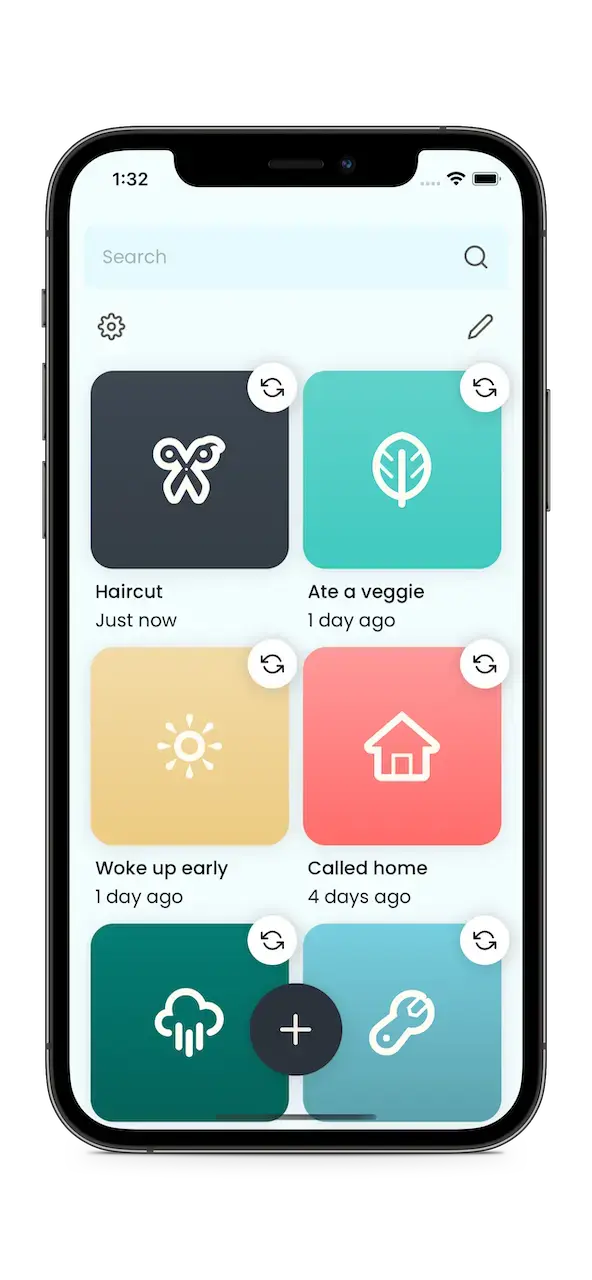
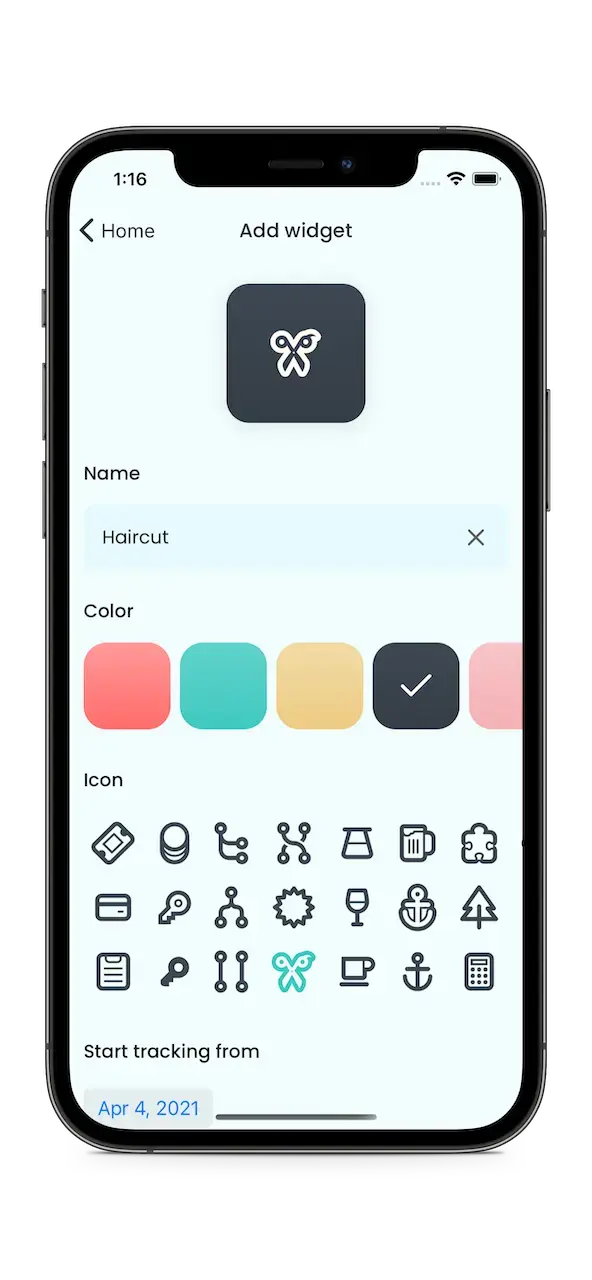
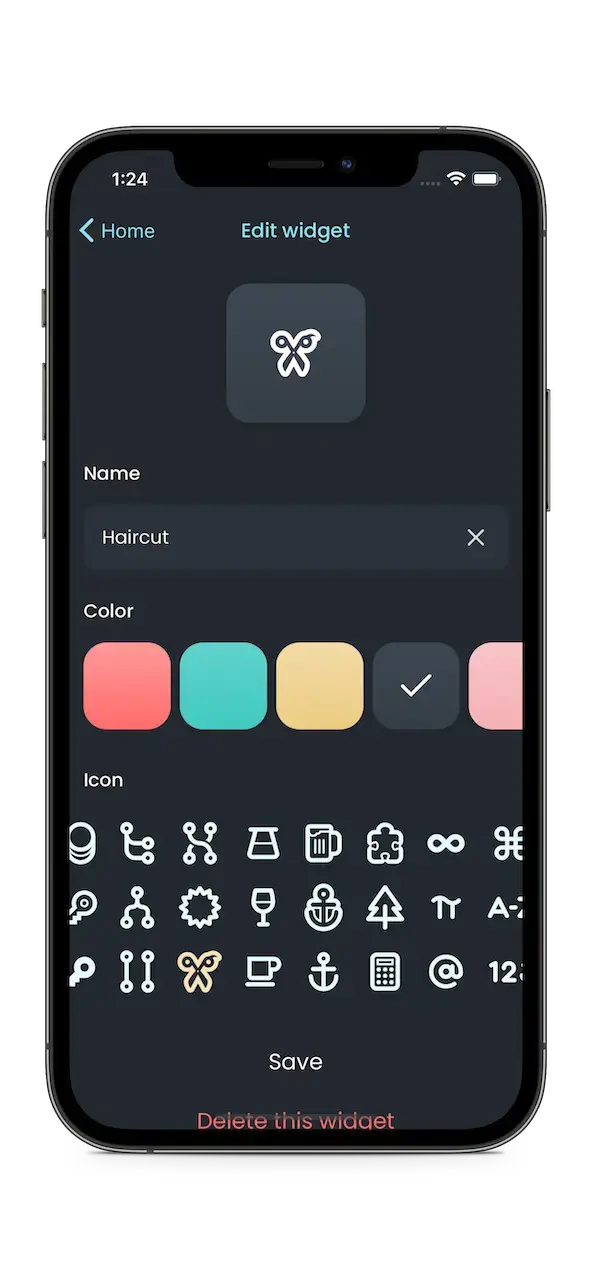
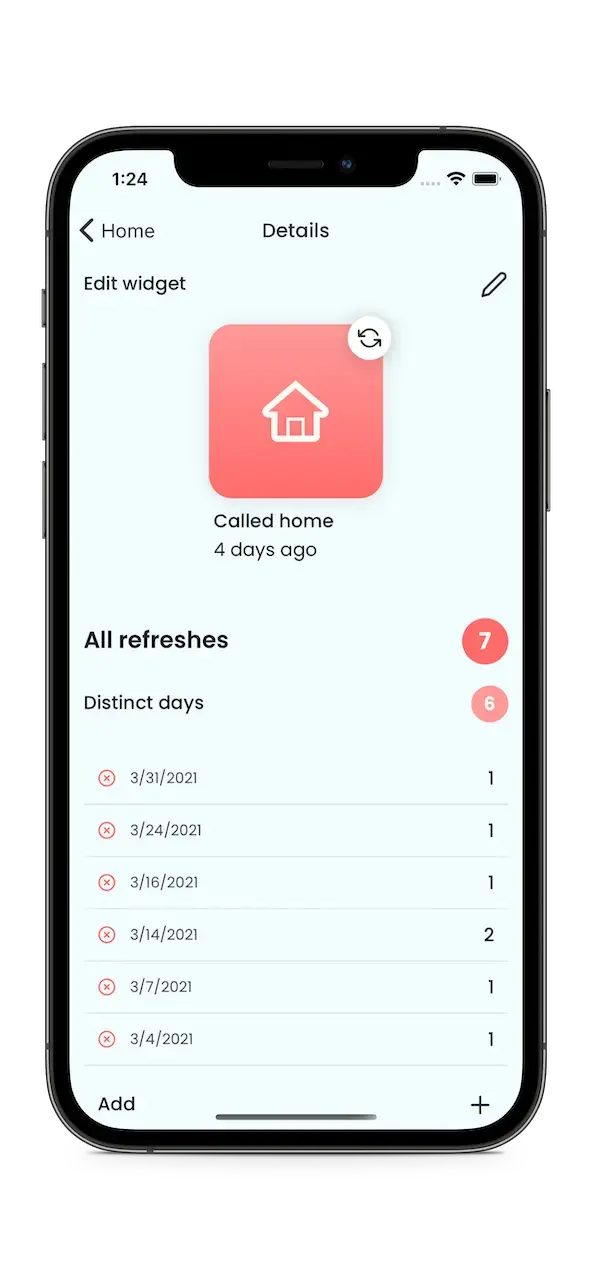
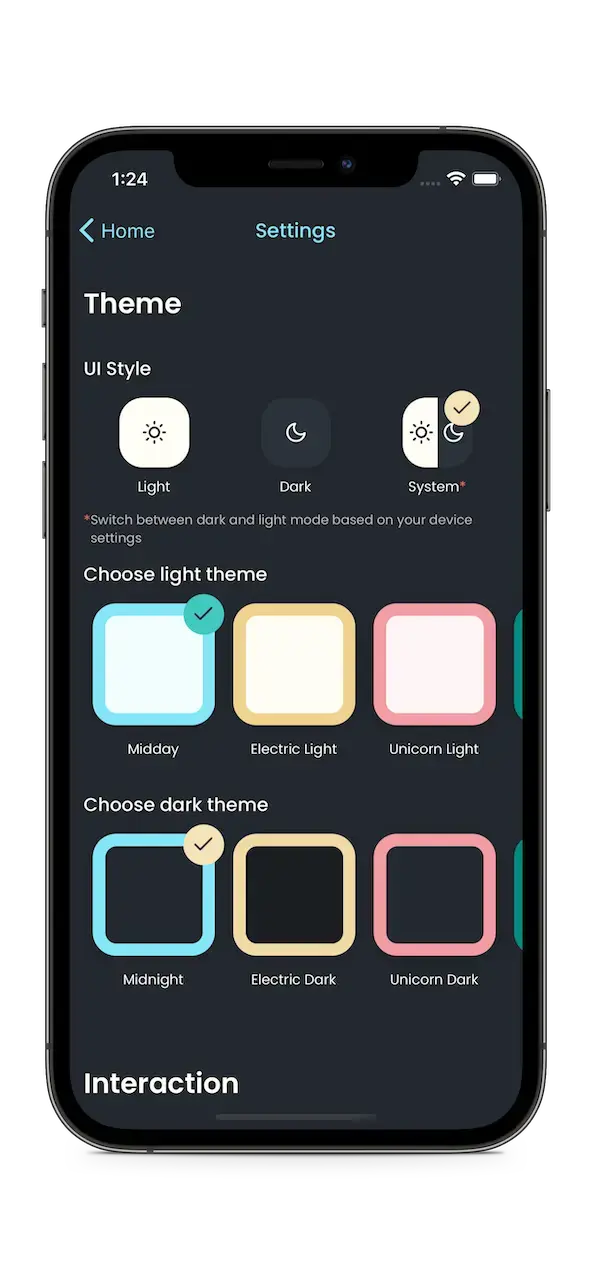
Checklist review:
✅ allows users to edit widgets after their creation
✅ allows users to customize widgets (change color/icon)
✅ works well on phone screens - scales well on small devices (iPhone SE 1st generation) and huge devices (iPhone 12 Pro Max)
✅ works well on tablet screens - supports iPad in full screen, split-screen, and Slide Over mode
✅ shows every time an event was repeated
✅ supports dark mode - also added additional themes
✅ supports i18n - English (US/UK), Spanish, German, Swedish, Finnish, and, of course, Croatian
Link to the “Launch and after” sectionLaunch and after
Finishing the app was already the win. The launch went better than I expected.
The app also picked up real usage over the years. People kept downloading it, using it, and leaving reviews. That mattered more than the ranking. A side project that ships and keeps helping people is rare enough.
Link to the “Conclusion” sectionConclusion
It was not easy. I wanted to quit more than once. I kept going because I knew I would use the app myself. When I stalled, I stepped away. The breaks usually sent me back with clearer ideas.
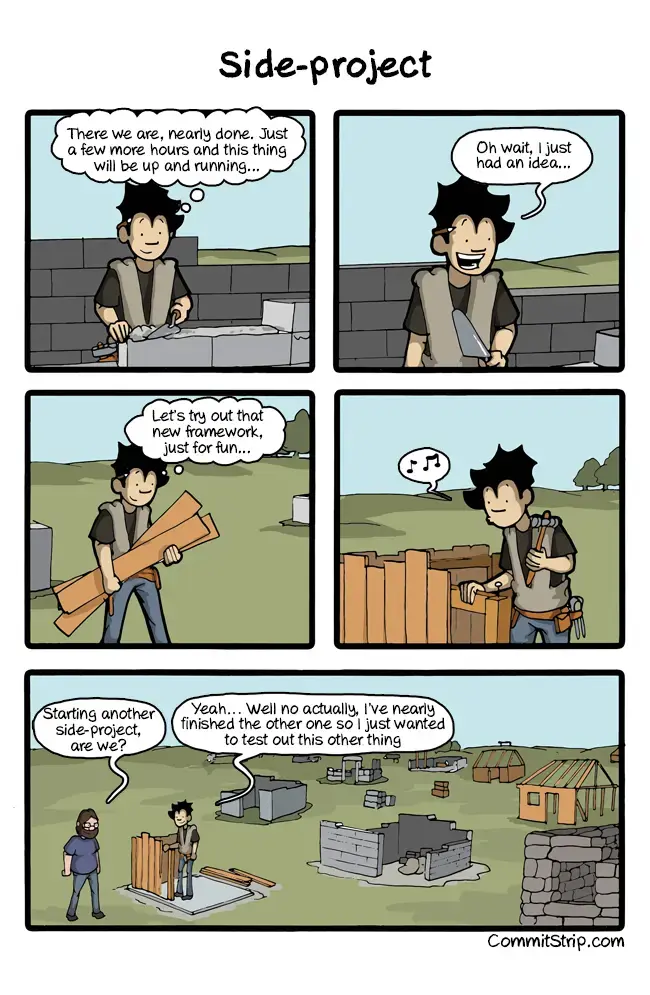
This CommitStrip comic nails how most side projects end.
The project is done. I can start the next one without the usual guilt over an abandoned repo.
Download links