Part 1: Who is the User?
Interviews
Initially, the team and I conducted eight interviews. Two of the interviewees were professional chefs, and the rest were either cooking enthusiasts or considered cooking a necessary evil.
Here is the list of the most interesting findings:
- Cooking for a family whose members have a different diet is difficult. If one person is allergic to a specific ingredient, in the best case you have to find ways around it, and in the worst case you need to cook twice.
- Sometimes you forget about the equipment or ingredients you're missing. One participant realized halfway through baking a cake that they used up all the baking paper.
- One of the interviewees had a "compilation recipe note". When they found an interesting video online about a recipe they would jot down interesting ideas. When cooking the dish next time they would try out the ideas and either keep those ingredients or remove them.
- The preparation and cooking time of a meal has a major effect on whether they will try it out or not.
- Scrolling online recipes mid-cook is awkward when your hands are dirty.
- An interviewee listens to songs while cooking, and guesses approximate timing for recipes based on the length of songs they listen to.
- Ingredient lists are not localized. Two interviewees complained about not understanding the imperial units.
Personas
Interviews surfaced plenty of friction with the sites and apps novice cooks rely on. We focused on that group and on making it easier to find and adapt a recipe.
Emily
, 27
- Experienced home cook.
- Loves cooking and French cuisine
- Thin budget, but doesn't mind spending a bit more for a better ingredient.
Nino
, 24
- Indifferent to cooking. Cooks out of a necessity.
- Vegetarian.
- Appreciates good food, but isn't particular about what to eat as long as it gives him energy.
Andy
, 25
- An exchange student from the US living in Paris.
- Only understands imperial units.
- Rarely cooks. Usually eats out.
User Profile
- Novice cooks who look for recipes online and want to modify the recipes they are planning to cook.
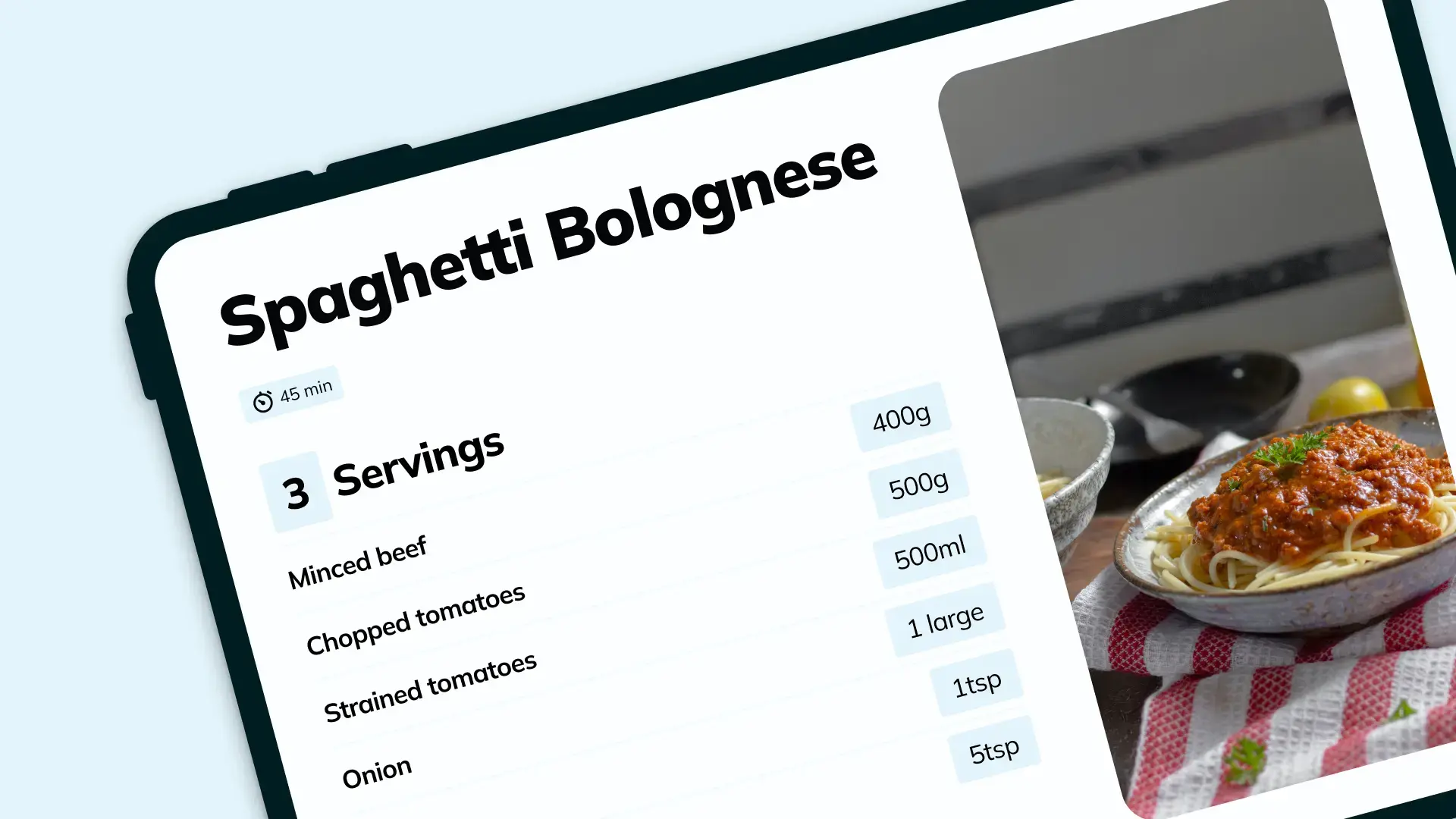
- They resent converting units in browser recipes and scaling ingredient amounts for different group sizes.
- They have friends and family that have a special diet or are allergic to certain ingredients and they want to modify the recipes according to the diet and know exactly how much of every ingredient is needed.
Part 2: What is Possible?
Brainstorming
We brainstormed in two passes. First we met, mapped interview breakdowns, and dumped ideas into a shared doc without judging them. For a few days everyone added thoughts on their own. That gave us a wider pool than a single session would have.
The next time we met we went through all the ideas and voted on our favorites. We liked the idea of mixing and matching ingredients from different recipes and allowing the user to adjust them to their needs.
Design Dimensions
Part 3: What Should it Be?
Design Concept
From the breakdowns, workarounds, and ideas we aimed for an app that turns static web recipes into something you can use while cooking with less mental overhead. Cooking is personal and demands attention; most online recipes are not built for that mode.
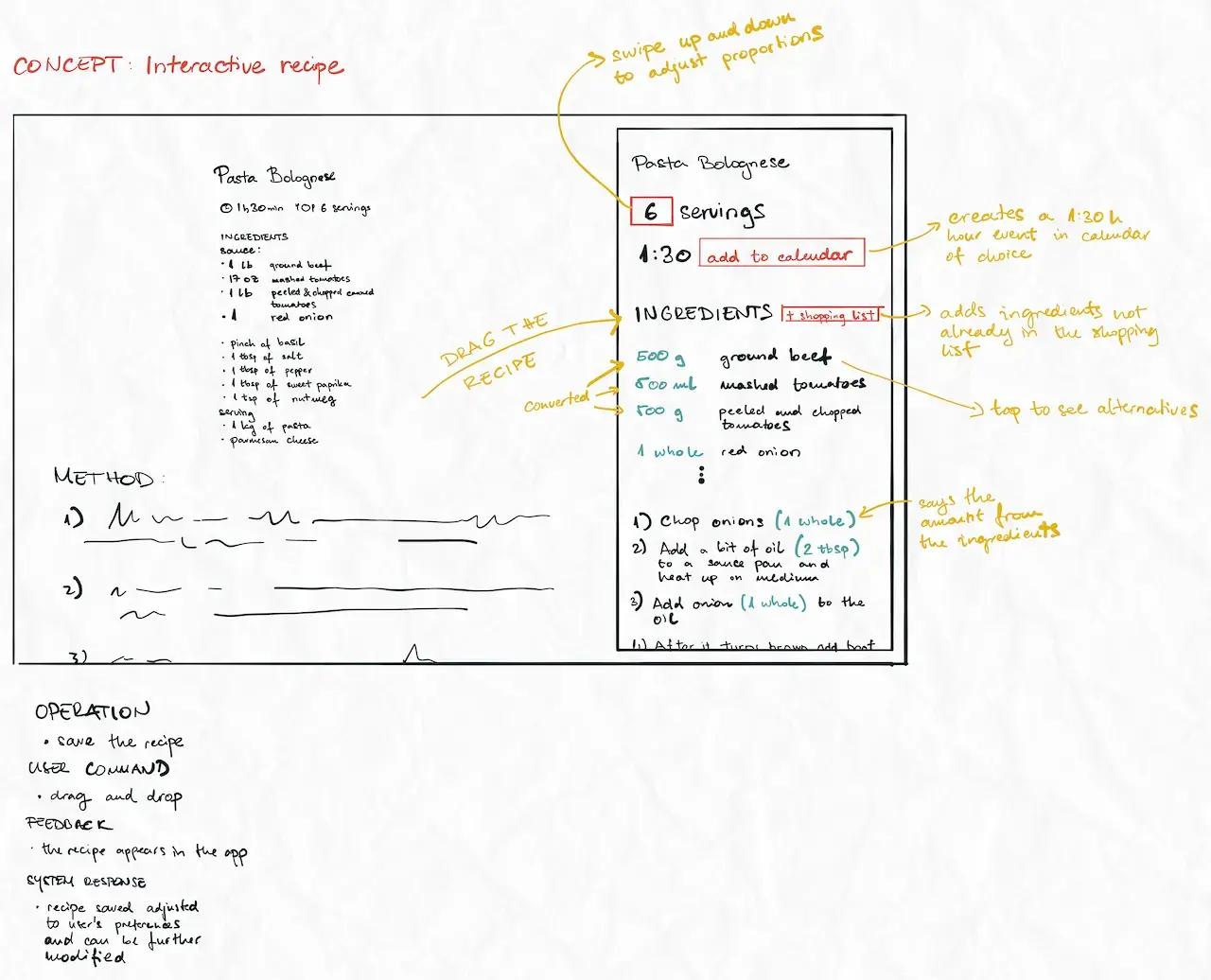
Participatory Design Workshop
We ran a participatory design workshop to stress-test interactions. Participants did three exercises:
- Look up a recipe online and save it in any way for later. Modify it so that you can use it to cook for 6 people.
- You are given four recipes printed out on paper. Combine them into one recipe that seems to work the best.
- You are given four recipes printed out on paper. Combine them into one recipe without using a pen.
Several interactions in the video prototype came from that session. Next time we would book a follow-up brainstorm; we ran out of time after the workshop.
Video Prototype
Finally, we sat down, took out some paper, markers, scissors, and tape, and started working on a paper prototype. Check out the final result below.
Part 4: Does it Work?
Design Walkthrough & Design Crit
With three colleagues, we went through the video prototype breaking apart interactions one by one to see if they can be improved. Interesting suggestions came up that we simply didn't have time to implement in the end.
During the design process, we realized that each person we talked to had their own story about cooking. Everyone adapted the cooking process to their needs to some degree. It was no different during the design crit. Something as personal as cooking sparked a lot of interesting ideas. Participants wanted to add just that one more thing that would make their lives even easier.
Almost everyone cooks sometimes. The domain is huge; fixing one narrow pain point can still help a lot of people.
Improvements
A list of improvements and wishlist for further iterations:
- More extreme characters would stress the concept: heavy allergies, athletes, tight budgets, big gatherings, minimal kitchens. Seeing the idea through a few of those lenses would be useful.
- The concept centers ingredients; preparation methods are the next layer.
- Time management: allow users to plan their days based on the preparation time of certain meals
- Another round of tighter, topic-focused interviews
Design System
Still in progress, but here is a working export of the EdiTable design system: